
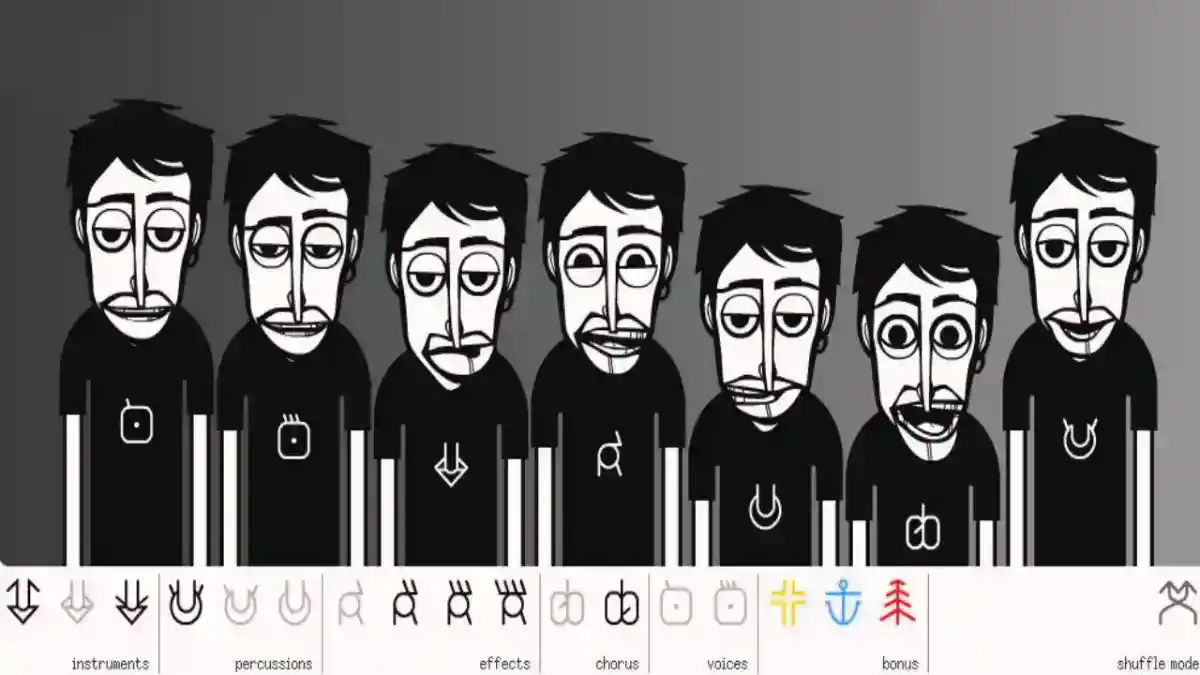
Incredibox Features: Complete Guide to Music, Mixing, Versions and Gameplay
Explore Incredibox features, including drag-and-drop music creation, animated beatboxers, versions, recording, sharing, MP3 export, and gameplay.
Blog
Explore the best Incredibox alternatives for music creation, beat making, kids, Android, iOS, PC, offline use, and beginner-friendly mixing.
Incredibox alternatives are useful for users who enjoy music creation but want a different type of experience. Incredibox is built around animated beatboxers, sound icons, drag-and-drop controls, music versions, recording, saved mixes, and simple beatbox-style mixing. Some users love that simplicity, while others may want more instruments, deeper editing tools, browser-based music creation, loop libraries, or professional-style production features.
The best alternative depends on what the user wants. A beginner may prefer a simple visual music tool. A child may need a safe and easy creative app. A mobile user may want an Android or iOS music app. A serious creator may need a digital audio workstation with tracks, instruments, and editing tools.
For the main Android app overview, visit the Incredibox APK page.
This guide explains the best types of Incredibox alternatives, how they compare with Incredibox, which options are better for beginners, kids, Android users, iPhone users, PC users, offline use, beat making, and music learning.
A good Incredibox alternative should match the reason users enjoy Incredibox in the first place. Users usually like Incredibox because it is simple, visual, creative, musical, and easy to start.
A strong alternative may offer:
Not every alternative needs to copy Incredibox exactly. Some alternatives are better for learning music, while others are better for full music production.
| Alternative Type | Best For | Difference from Incredibox |
|---|---|---|
| Chrome Music Lab | Music learning and browser play | More educational and web-based |
| GarageBand | iPhone and iPad music creation | More instrument-based and advanced |
| FL Studio Mobile | Mobile beat making and production | More professional and technical |
| BandLab | Online music creation and collaboration | More social and studio-style |
| Groovepad | Loop-based beat making | More DJ-style and loop-focused |
| Beat Maker Apps | Rhythm and beat creation | More drum and pattern focused |
| Music Learning Apps | Kids and students | More educational |
| Incredibox Mods | Extra Incredibox-style creativity | Similar format with community content |
Incredibox is different from many music apps because it does not ask users to build songs with tracks, notes, instruments, or complex editing panels.
Instead, Incredibox uses a visual system:
This makes Incredibox easier than many music production apps.
Users who want to understand the app features first should read the Incredibox features guide.
Choose a version.
Drag sound icons.
Place sounds on animated characters.
Combine beats, effects, melodies, and voices.
Record the mix.
Save or share it.
Chrome Music Lab is a strong alternative for users who want simple music learning in a browser. It is especially useful for students, teachers, kids, and beginners.
Unlike Incredibox, Chrome Music Lab is not mainly about animated beatboxers. It focuses more on music experiments, patterns, rhythm, melody, sound, and visual learning.
Chrome Music Lab is good for:
It is less like a game than Incredibox, but it is useful for understanding music concepts.
Chrome Music Lab is best for users who want to learn music visually instead of creating beatbox-style mixes.
It is also useful for classrooms because students can explore sound without needing advanced software.
| Feature | Incredibox | Chrome Music Lab |
|---|---|---|
| Main Style | Beatbox mixing | Music experiments |
| Characters | Animated beatboxers | Visual tools |
| Best For | Creative mixing | Music learning |
| Gameplay | Drag sound icons | Interactive experiments |
| Difficulty | Very easy | Very easy |
| Kids Friendly | Yes | Yes |
Chrome Music Lab is better for learning. Incredibox is better for beatbox-style creative mixing.
GarageBand is a strong alternative for iPhone, iPad, and Mac users who want more control over music creation. It gives users instruments, loops, recording tools, and a more complete music studio experience.
GarageBand is more advanced than Incredibox. It is not only about dragging sound icons onto characters. Users can play virtual instruments, record tracks, use loops, and build more detailed songs.
GarageBand is good for:
Users who want a simple experience may prefer Incredibox, while users who want deeper music creation may prefer GarageBand.
GarageBand is best for users who want to move beyond simple mixing and start learning full song creation.
It is especially useful for Apple users because it is designed for iPhone, iPad, and Mac environments.
| Feature | Incredibox | GarageBand |
|---|---|---|
| Main Style | Beatbox music game | Music studio app |
| Difficulty | Beginner-friendly | More advanced |
| Instruments | Sound icons | Virtual instruments |
| Recording | Mix recording | Track recording |
| Best Device | Android, iOS, browser, PC | Apple devices |
| Best For | Fast creative mixing | Full music projects |
GarageBand is more powerful, but Incredibox is easier for beginners.
For Apple device details, read the Incredibox for iOS guide.
FL Studio Mobile is a better alternative for users who want mobile music production instead of simple beatbox mixing. It is designed for creating beats, writing music, arranging patterns, and producing tracks on mobile devices.
Compared with Incredibox, FL Studio Mobile is more technical. Users may need to understand patterns, instruments, tracks, piano roll editing, and mixing controls.
FL Studio Mobile is good for:
It is not as simple as Incredibox, but it offers more production flexibility.
FL Studio Mobile is best for users who want to create more serious music projects on mobile.
It is a good next step for users who enjoy Incredibox but want more control over beats, melodies, instruments, and arrangement.
| Feature | Incredibox | FL Studio Mobile |
|---|---|---|
| Main Style | Visual beatbox mixing | Mobile music production |
| Difficulty | Easy | Medium to advanced |
| Controls | Drag-and-drop icons | Tracks, instruments, patterns |
| Best For | Beginners and casual users | Beat makers and producers |
| Learning Curve | Low | Higher |
| Creative Control | Simple | Detailed |
Incredibox is better for fast fun. FL Studio Mobile is better for deeper production.
BandLab is an alternative for users who want online music creation, recording, editing, and collaboration. It is more like a social music studio than a simple beatbox app.
BandLab can be useful for users who want to create songs, record vocals, use loops, collaborate with others, and manage music projects.
Compared with Incredibox, BandLab is more open-ended. It gives users more tools, but it also requires more learning.
BandLab is good for:
BandLab is best for users who want to create complete songs and collaborate with others.
It is less playful than Incredibox but more flexible for real music projects.
| Feature | Incredibox | BandLab |
|---|---|---|
| Main Style | Beatbox mixing game | Online music studio |
| Difficulty | Very easy | Beginner to intermediate |
| Collaboration | Limited | Stronger |
| Recording | Mix recording | Track and vocal recording |
| Best For | Casual music creation | Song creation and collaboration |
| Interface | Visual characters | Studio-style tools |
BandLab is better for collaborative projects. Incredibox is better for quick visual creativity.
Groovepad is an alternative for users who enjoy loop-based beat making. Instead of animated beatboxers, it usually focuses on pads, loops, and music styles.
Users tap pads to trigger sounds and build tracks from loops.
Groovepad is good for:
Compared with Incredibox, Groovepad feels more like a beat pad app and less like a character-based music game.
Groovepad is best for users who want loop-based beat making with simple controls.
It can be a good alternative for users who like quick music creation but want a different interface.
| Feature | Incredibox | Groovepad |
|---|---|---|
| Main Control | Drag sound icons | Tap sound pads |
| Main Style | Beatbox and vocal mixing | Loop-based beat creation |
| Visual Identity | Animated characters | Music pads |
| Difficulty | Easy | Easy |
| Best For | Creative character mixing | Loop and beat making |
Groovepad is better for pad-based beats. Incredibox is better for visual beatbox mixing.
Beat maker apps are alternatives for users who care mostly about rhythm, drums, and beat patterns.
These apps may include drum pads, sequencers, loops, samples, and rhythm tools.
Beat maker apps are good for:
They are usually more focused on beats than Incredibox.
Incredibox includes beats, but it also includes effects, melodies, voices, characters, bonuses, and versions. Beat maker apps may provide deeper rhythm control but less character-based creativity.
Beat maker apps are best for users who want to focus on rhythm and percussion.
They may be useful after learning basic rhythm inside Incredibox.
Music learning apps are good alternatives for kids, students, and beginners who want to understand music rather than only create mixes.
These apps may teach rhythm, pitch, instruments, notes, listening, or song structure.
They are different from Incredibox because they focus more on education.
Music learning apps are good for:
For parent-focused usage, read the Incredibox for kids guide.
Incredibox mods are not completely separate alternatives, but they can work like alternatives for users who want more Incredibox-style content.
Mods may add new sounds, visuals, themes, characters, and music moods while keeping the familiar drag-and-drop style.
Mods are good for users who like Incredibox but want more variety.
However, users should be careful with mod files, especially APK-based mods. Not every file labeled as a mod is safe.
For details, read the Incredibox mods guide.
The best Android alternative depends on the user’s goal.
For simple music learning, Chrome Music Lab can be useful in a browser.
For mobile music production, FL Studio Mobile can be a stronger option.
For loop-based beats, Groovepad or beat maker apps may be useful.
For users who want the closest Incredibox-style experience, mods or official Incredibox versions may be better than switching to a completely different app.
For Android-specific Incredibox usage, read the Incredibox for Android guide.
GarageBand is one of the strongest options for iPhone and iPad users who want deeper music creation. It gives Apple users a more complete studio-style experience with instruments, loops, and recording.
Chrome Music Lab can also work for simple browser-based music learning.
Incredibox itself may still be easier for beginners because the controls are simpler and more visual.
For iOS details, read the Incredibox for iOS guide.
PC users have more options because they can use browser-based tools, desktop software, online studios, and Android emulators.
Chrome Music Lab is useful for simple browser-based music learning.
BandLab is useful for online music projects and collaboration.
FL Studio-style production tools are better for serious beat making and song creation.
Users who want to run Incredibox itself on desktop can read the Incredibox for PC guide.
For kids, the best alternatives are simple, visual, and safe.
Chrome Music Lab can be useful because it focuses on music learning through interactive experiments.
Incredibox itself remains strong for kids because it uses animated characters and simple sound layering.
Parents should avoid giving children unknown APK files, unsafe mods, or apps with confusing sharing settings.
For safer child setup, read the Incredibox APK safety guide.
Offline support depends on the app and platform. Some apps may work offline after installation, while others need internet for browser access, sharing, updates, or cloud features.
For offline music creation, users should choose an app that stores sounds locally and does not require constant internet to create music.
Incredibox may support offline core creation depending on version and setup.
For complete offline details, read the Incredibox offline guide.
Users who want beat making should consider apps that focus on drums, loops, pads, and rhythm patterns.
FL Studio Mobile is stronger for users who want more production control. Groovepad and beat maker apps are easier for quick loop-based rhythm creation.
Incredibox is better for visual beatbox mixing, but beat maker apps give more control over rhythm structure.
For music learning, Chrome Music Lab and educational music apps are strong choices.
They can help users understand rhythm, melody, sound, pitch, and patterns in a simple way.
Incredibox also supports learning, but it does so through creative mixing rather than formal instruction.
For professional-style music production, Incredibox is not the main choice. It is designed for creative simplicity, not full production control.
Users who need tracks, instruments, editing, effects, automation, and detailed mixing should choose a production app or digital audio workstation.
FL Studio Mobile, GarageBand, BandLab, and other studio-style apps are better for users who want to produce complete songs.
The closest alternative depends on what part of Incredibox you like.
If you like drag-and-drop visual music, Incredibox mods may feel closest.
If you like simple learning, Chrome Music Lab may feel close in accessibility.
If you like quick beat making, Groovepad or beat maker apps may feel similar in simplicity.
If you like recording music, BandLab or GarageBand may be better.
Users should stay with Incredibox if they want simple beatbox-style music creation, animated characters, versions, quick mixing, recording, and a low learning curve.
Users should choose an alternative if they want:
Incredibox is best for simple creative mixing. Alternatives are better when users need a different music creation goal.
Android users should be careful when downloading music APK files. This applies to Incredibox and any alternative app.
Before installing any APK, users should check file source, permissions, compatibility, package behavior, and update process.
A music app should not request permissions that do not match its purpose.
For full safety guidance, read the Incredibox APK safety guide.
Music apps need updates for stability, compatibility, bug fixes, and device support.
Manual APK users should update carefully because wrong packages can cause conflicts.
For Incredibox-specific update steps, read the Incredibox APK update guide.
Music apps can face problems such as no sound, app crash, black screen, recording failure, update errors, storage problems, and compatibility issues.
If Incredibox itself is not working, users should fix the issue before switching apps. Sometimes the problem is not the app but the device settings, storage, audio output, or APK file.
For fixes, read the Incredibox not working guide.
| User Type | Best Alternative Type |
|---|---|
| Kids | Chrome Music Lab or simple music learning apps |
| Android users | FL Studio Mobile, Groovepad, beat maker apps |
| iPhone users | GarageBand |
| PC users | Chrome Music Lab, BandLab, emulator-based options |
| Beat makers | FL Studio Mobile or beat maker apps |
| Beginners | Chrome Music Lab or simple loop apps |
| Serious creators | GarageBand, BandLab, FL Studio Mobile |
| Incredibox fans | Incredibox mods and official versions |
The best alternative depends on the user. Chrome Music Lab is good for learning, GarageBand is good for Apple users, FL Studio Mobile is good for mobile production, and BandLab is good for online collaboration.
Yes, some music apps offer simple beat making, loop creation, or visual music tools, but Incredibox is unique because of its animated beatboxer system.
For Android, FL Studio Mobile is better for production, Groovepad is better for loop-based beats, and music learning apps are better for beginners.
GarageBand is a strong iPhone and iPad alternative for users who want deeper music creation and recording tools.
Chrome Music Lab and simple music learning apps can be good for kids because they are visual, educational, and beginner-friendly.
Yes, mods can work like alternatives because they add new sounds and visuals while keeping an Incredibox-style experience.
Most alternatives are not easier than Incredibox. Incredibox is one of the simplest music creation apps because it uses drag-and-drop sound icons and animated characters.
FL Studio Mobile and beat maker apps are better for users who want stronger beat control and rhythm creation tools.
Offline support depends on the app. Some apps work offline after installation, while browser-based or cloud-based tools may require internet.
You should switch only if you need more instruments, editing tools, production features, collaboration, or music learning options beyond Incredibox.
Incredibox alternatives are useful when users want a different kind of music creation experience. Incredibox is best for simple beatbox-style mixing with animated characters, sound icons, versions, recording, and saved mixes. Alternatives can offer deeper production tools, browser-based learning, loop-based beat making, collaboration, or instrument-based music creation.
Chrome Music Lab is strong for learning. GarageBand is strong for iPhone, iPad, and Mac users. FL Studio Mobile is better for mobile music production. BandLab is useful for online collaboration. Groovepad and beat maker apps are useful for loop-based rhythm creation. Incredibox mods are useful for users who want more Incredibox-style variety.
The best choice depends on the user’s goal. For quick creative fun, Incredibox remains one of the easiest options. For deeper music creation, an alternative app may be the better next step.
Explore Incredibox features, including drag-and-drop music creation, animated beatboxers, versions, recording, sharing, MP3 export, and gameplay.
Learn how Incredibox works on Android phones and tablets, including APK setup, compatibility, features, gameplay, storage, updates, and fixes.
Learn how to use Incredibox on PC with Android emulator setup, controls, compatibility, performance tips, APK installation, and common fixes.